n8n CRM Automation India: Auto-Update Your Pipeline Without Touching a Keyboard
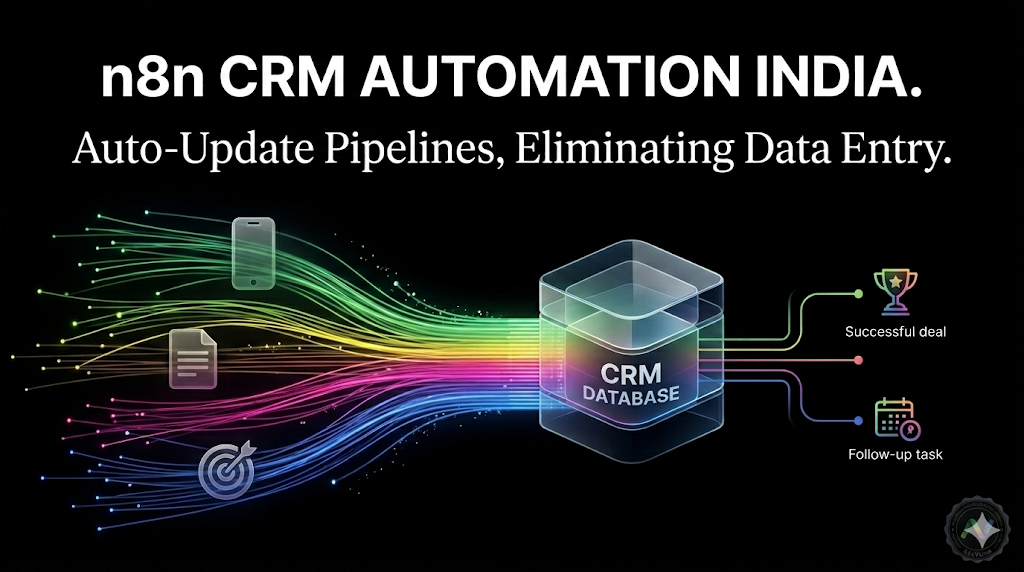
CRM tabhi kaam karta hai jab data accurate aur up-to-date ho. Lekin CRM ko update karna ek full-time job ban jaata hai — especially jab leads multiple sources se aa rahe hain: WhatsApp, website form, Google Ads lead form, Meta ads, phone calls, walk-ins. Har source se manually data copy karo, fields fill karo, stage set karo, sales person assign karo. Teen baar karo, din mein.
n8n yeh poori problem eliminate karta hai. Har lead source CRM se directly connected hota hai — data automatically, instantly, aur accurately enter hota hai bina koi human involvement ke. Aur sirf entry nahi — pipeline stage updates, follow-up triggers, deal closures, re-engagement sequences — sab automated.
Yeh guide specifically n8n aur CRM ke integration ke baare mein hai — kaunse workflows build karo, kaise setup hota hai, aur kya results expect karo.
1. Why Your CRM Is Only as Good as the Data Going Into It
CRM tools — Zoho, HubSpot, Leadsquared, Salesforce — are excellent products. Lekin India mein inke saath sabse common complaint yeh hai: "Hamara CRM kaam nahi karta." Almost always, yeh CRM ka problem nahi hota — yeh data problem hota hai.
Manual entry ki limitations:
- Incomplete records: Busy din mein staff sirf naam aur number enter karta hai — requirement, source, budget sab miss ho jaate hain. Ek incomplete record se meaningful pipeline analysis possible nahi hai.
- Delayed entry: Lead WhatsApp pe 11 AM pe aaya — CRM mein 4 PM pe enter hua. Tab tak lead already 2 follow-up miss kar chuka hai. Speed matters enormously in Indian market.
- Inconsistent staging: Alag alag sales people "Interested" aur "Qualified" ko alag define karte hain. Pipeline report meaningless ho jaati hai.
- Silent lead loss: Weekend pe aaye leads, after-hours WhatsApp messages — Monday morning tak CRM mein nahi hote. 34% leads disappear this way.
n8n in sab problems ko source pe fix karta hai — data CRM mein jaata hai jab lead create hota hai, not when someone gets around to entering it.
2. Core n8n → CRM Workflows for Indian Sales Teams
3. n8n + Zoho CRM: Most Common Setup for Indian SMBs
Zoho CRM India mein sabse popular SMB CRM hai — aur n8n ke saath integration excellent hai. Yeh exactly hai jo connect hota hai:
4. Field Mapping — Getting Data Into the Right CRM Fields
Sabse important technical step jo zyatar people miss karte hain: field mapping. Yeh define karta hai ki WhatsApp ya form se collected data CRM ke exactly kaunse field mein jaayega.
| Data Collected | Source | Zoho CRM Field | HubSpot Field |
|---|---|---|---|
| Customer name | WhatsApp bot / form | Contact: Last Name | Contact: Full Name |
| Phone number | WhatsApp API auto-capture | Contact: Mobile | Contact: Phone |
| Service interest | Bot conversation / form field | Lead: Description | Deal: Name |
| Budget range | Bot qualification button | Deal: Amount (range) | Deal: Amount |
| Timeline / urgency | Bot qualification button | Lead: Lead Status | Contact: Lifecycle Stage |
| Lead source | UTM / campaign tag | Lead: Lead Source | Contact: Original Source |
| Lead score | n8n scoring logic | Lead: Rating (Hot/Warm/Cold) | Contact: Lead Score |
| Assigned sales rep | n8n round-robin logic | Lead: Lead Owner | Contact: HubSpot Owner |
Yeh mapping ek baar configure karo — phir har lead ke liye automatically correct fields mein data jaata hai. Koi guess work, koi missing fields, koi inconsistency.
5. Pipeline Automation: Beyond Just Lead Entry
n8n + CRM integration sirf lead entry tak limited nahi hai. Yeh poore sales pipeline ko automate kar sakta hai:
-
Stage-Based WhatsApp Triggers
Jab CRM mein deal stage change ho — n8n automatically relevant WhatsApp message bhejta hai. "Proposal Sent" → 48 ghante baad: "Bhai, proposal dekhi? Koi question ho toh batao." "Site Visit Scheduled" → day before: "Kal subah 11 baje aapka site visit confirm hai." Har stage transition pe right message, right time.
-
Stale Deal Detection + Alert
Agar koi deal 5 din se same stage mein hai bina activity ke — n8n sales manager ko WhatsApp alert bhejta hai: "Deal [Name] mein 5 din se koi update nahi — follow up karo." Deals silently kho nahi jaate.
-
Won Deal → Customer Onboarding Flow
Deal "Won" mark ho → CRM contact type "Lead" se "Customer" update ho → WhatsApp welcome message → onboarding email → Google Calendar appointment scheduled → Access credentials sent. Poora onboarding 5 minutes mein complete — without any human involvement.
-
Lost Deal → Re-engagement Schedule
Deal "Lost" mark ho → reason logged → 30 din baad n8n automatically re-engagement WhatsApp: "Hi [Name], kuch mahine pehle baat hui thi — kya abhi bhi [service] ki zarurat hai? Naya offer available hai." Lost deals se recovered revenue typically 8–12% of total deals.
-
Daily Pipeline Report → Owner WhatsApp
Har roz subah 9 AM: n8n CRM se data pull karta hai → summary compile karta hai → WhatsApp message: "Aaj ki pipeline: 12 hot leads, 8 follow-ups due, 3 proposals pending, kal 2 site visits." Business owner ko exactly pata rehta hai bina CRM khole.
"CRM pehle sirf data graveyard tha — koi update nahi karta tha. n8n ke baad sab automatic ho gaya. Ab pipeline report actually useful hai."— Sales Manager, Real Estate Firm, Indore · AdsVerse Client, 2025
6. Setup Cost and Timeline
| Component | What's Included | Timeline | Cost |
|---|---|---|---|
| n8n Infrastructure | Indian server setup, SSL, domain, monitoring | Day 1 | ₹1,500/month (server) |
| Core Lead Capture Workflow | All sources → CRM · WhatsApp alert · follow-up trigger | Day 1–2 | Included in setup |
| Field Mapping (CRM-specific) | Custom mapping to your Zoho/HubSpot/Leadsquared schema | Day 2–3 | Included in setup |
| Pipeline Automation Flows | Stage triggers, stale deal alerts, won/lost flows | Day 3–4 | Included in setup |
| Testing + Go Live | 30 test scenarios, error handling, monitoring setup | Day 4–5 | Included in setup |
| AdsVerse Setup Fee | Full stack build as above | 5 days total | ₹18,000–₹28,000 one-time |
| Monthly Maintenance | Monitoring, updates, new workflow additions | Ongoing | ₹4,000–₹6,000/month |
Break-even: A 3-person sales team saving 53 hours/month on data entry at ₹200/hour labour cost = ₹10,600/month saved on labour alone. Setup cost recovers in month 2. From month 3 onward — pure savings + revenue from previously lost leads.
Connect Your CRM to Everything — Automatically
Free automation audit — hum aapka current CRM setup dekhenge aur exact workflow blueprint banayenge. Zoho, HubSpot, Leadsquared, Sheets — koi bhi.
Get Your Free CRM Automation Audit →Join the Conversation
Have insights or questions about this post? We'd love to hear from you. Connect with our team directly or share your thoughts via WhatsApp.
AdsVerse · Digital Excellence 2026